
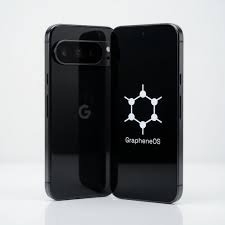
In a world where smartphones manage personal messages, financial accounts, photographs, location information, and everyday activities, mobile privacy has become an important consideration. ZeroGhost is a privacy-focused smartphone configured with GrapheneOS, an open-source mobile operating system designed to strengthen security, improve privacy controls, and give users more control over their devices. Rather than focusing only on hardware specifications, ZeroGhost centres its approach on the software environment, application permissions, and security-focused configuration that help users manage their digital privacy.
For people comparing privacy-focused smartphones, ZeroGhost offers an alternative to a conventional smartphone setup. Its stated features include GrapheneOS pre-installed, application sandboxing, granular permission controls, secure boot protections, and reduced reliance on Google services by default. These features aim to create a more deliberate mobile experience without abandoning access to compatible Android applications.
This guide explains what ZeroGhost Phone Review is, how GrapheneOS contributes to mobile security, what privacy features matter most, how everyday applications may work, and what buyers should consider before choosing a privacy-focused smartphone.
What Is ZeroGhost?
ZeroGhost is a privacy-focused smartphone offering built around GrapheneOS, an open-source operating system based on the Android Open Source Project. Its primary focus is helping users gain greater control over application access, system behaviour, and mobile privacy settings.
Traditional smartphones often provide many convenient features, but their default software environments can also involve background services, application permissions, analytics, and connections to third-party platforms. Some of these activities support useful features, while others may collect or process information users would prefer to manage more carefully.
ZeroGhost approaches this issue by providing a smartphone configured with a security-focused operating system. According to its website, the device experience centres on application sandboxing, granular permissions, secure boot, and a setup that does not install Google Play Services by default.
The idea is not simply to offer another smartphone with a different appearance. It is to make privacy and security central considerations in how the device operates.
ZeroGhost may be relevant to privacy-conscious professionals, technology enthusiasts, journalists, business users, and everyday smartphone owners who want to understand and control more of their digital environment.
However, it is important to recognise that a privacy-focused operating system does not make a device completely anonymous or eliminate every possible security risk. The protection a user receives depends on the hardware, software updates, installed applications, account settings, network connections, and personal usage habits.
What Is GrapheneOS, and Why Does It Matter?
GrapheneOS is an open-source mobile operating system designed with an emphasis on security, privacy, and usability. It builds on the Android Open Source Project and introduces additional security enhancements rather than simply changing the appearance of the interface.
This distinction matters because the operating system forms the foundation for much of a smartphone’s behaviour. It helps determine how applications run, how permissions are handled, which system services are included, and how the device responds to potential security threats.
GrapheneOS concentrates on improving the underlying security architecture. Its documented features include enhanced application sandboxing, exploit mitigations, verified boot improvements, privacy controls, and a system designed to reduce unnecessary attack surface.
For a ZeroGhost user, GrapheneOS is the central technology behind the phone’s privacy-focused positioning.
Open-Source Software
Open-source software allows its source code to be inspected, studied, and developed by the wider technical community under its applicable licence. This creates an opportunity for researchers and developers to examine how the software works rather than relying entirely on a manufacturer’s descriptions.
GrapheneOS publishes its project information and technical documentation, allowing interested users to investigate its design principles and security features.
Open-source development does not automatically mean that every installation, accessory, or device configuration is secure. It does, however, provide a useful foundation for technical transparency and independent evaluation.
A Security-Focused Operating System
GrapheneOS focuses on security improvements within the mobile operating environment. These include measures intended to make exploitation more difficult and to help restrict the impact of vulnerable software.
The goal is to reduce the opportunities available to attackers while maintaining useful smartphone functionality. This can be particularly relevant for devices used to manage sensitive communications, work documents, personal accounts, and other private information.
Privacy Controls Built Into the System
A privacy-conscious smartphone should not rely entirely on users avoiding suspicious applications. Operating-system controls also matter because they help users limit what installed software can access.
GrapheneOS provides mechanisms for managing application permissions and controlling access to certain device capabilities. These controls can help users make more deliberate decisions about how applications interact with the phone.
Key ZeroGhost Features Explained
ZeroGhost combines a GrapheneOS-based mobile environment with features intended to give users greater visibility and control over their smartphone. Understanding what each feature does helps explain how the product differs from a conventional Android configuration.
1. Application Sandboxing
Application sandboxing is one of the important concepts in smartphone security.
A sandbox helps isolate an application from other applications and restricts its access to protected resources. Without these boundaries, a vulnerability in one application could potentially expose information or functionality beyond that application’s intended permissions.
GrapheneOS strengthens aspects of Android’s existing application sandbox, including protections designed to make it more difficult for malicious software to exploit system components.
For example, imagine a photo-editing application that requests access to your photographs. Its ability to use selected files does not necessarily mean it should also have access to your contacts or microphone.
Application isolation and permission controls help maintain these boundaries.
Why it matters: Sandboxing helps limit unnecessary access and can reduce the potential impact of some application vulnerabilities. It does not mean that every application is harmless or that all data-sharing risks disappear.
2. Granular Application Permissions
Application permissions determine which device resources an app can access. These can include the camera, microphone, contacts, location information, and selected files.
ZeroGhost describes granular permission controls as part of its privacy-focused configuration. These controls give users a way to review supported applications’ access and make changes according to their needs.
Consider a basic calculator. It ordinarily needs very little personal information to perform calculations. A navigation application, on the other hand, may need location access to provide directions.
Reviewing permissions can help users recognise when an application requests access that seems unrelated to its purpose.
A practical permission-review routine includes checking new applications before granting access, removing permissions that are no longer necessary, and revisiting settings when an application’s purpose changes.
These simple habits can improve privacy without requiring advanced technical knowledge.
3. Reduced Dependence on Google Services
One of ZeroGhost’s stated characteristics is that Google Play Services are not installed by default. This gives users a starting point with fewer Google services integrated into their initial environment.
This may appeal to people who want to reduce their reliance on a single technology ecosystem or make more deliberate decisions about which services run on their devices.
However, reducing dependence on Google services is not the same as guaranteeing that no data reaches Google or any other company. Users can still access websites, install applications, sign into third-party accounts, and use services that collect information.
The privacy outcome therefore depends on the applications selected and how they are configured.
It is also important to understand that GrapheneOS supports an optional compatibility layer for installing official Google Play components as ordinary sandboxed applications. They do not receive the same special operating-system privileges they have on conventional Android installations.
This flexibility can be useful for users who want a more privacy-conscious starting point but still depend on selected applications that expect Google Play services.
4. Secure Boot and System Integrity
A smartphone’s boot process is an important part of its security architecture. Secure boot and verified boot mechanisms help establish whether the operating system and relevant software components have been altered in unauthorised ways.
ZeroGhost identifies secure boot and system-integrity protections as elements of its security-focused setup.
These mechanisms are designed to help detect or prevent certain forms of unauthorised system modification. They complement other protections rather than replacing them.
A secure boot process cannot prevent every form of social engineering, account compromise, or malicious behaviour by an application that the user has authorised. For that reason, users should still keep their devices updated, choose applications carefully, and use strong authentication.
When evaluating any preconfigured privacy phone, it is worth asking how the operating system is installed, how updates are delivered, and whether the device maintains the expected security configuration.
5. Location Access Controls
Location information can reveal sensitive details about everyday routines, including frequently visited places and approximate travel patterns.
Location permissions help users control which applications can request this information. ZeroGhost highlights location access management as part of its privacy-focused environment.
For example, a mapping application may need location access while navigating, whereas a simple note-taking application may not need continuous access to the device’s position.
Users can review permission settings and avoid granting location access when it is not needed for an application’s main purpose.
It is equally important to understand the limits. Disabling an application’s location permission does not necessarily prevent all location estimation. Mobile networks, Wi-Fi connections, IP addresses, and other signals can reveal approximate location under certain circumstances.
Location controls should therefore be viewed as one layer of privacy management rather than a guarantee of complete location anonymity.
6. Optional Faraday Shielding Sleeve
ZeroGhost also lists an optional Faraday shielding sleeve. A properly designed shielding enclosure can attenuate or block wireless signals while the device is inside it, depending on the product’s construction and the signals involved.
This is different from an ordinary protective phone case. A standard case mainly protects the physical device, while a shielding sleeve is intended to reduce radio-frequency communication.
Its effectiveness depends on the sleeve’s materials, construction, closure, and condition. It should not be assumed to block every signal under every circumstance without testing.
Users should also recognise that placing a phone inside a shielding sleeve can interrupt calls, mobile data, Wi-Fi, Bluetooth, and other wireless functions while the shielding is effective.
The accessory is best understood as an optional additional measure for specific situations, not a replacement for secure device settings or careful application management.
ZeroGhost Models: What Should Buyers Compare?
ZeroGhost presents three model categories: Zero, Stealth, and Blackout. The product page describes these options in terms of hardware condition and device configuration.
Their intended audiences may overlap, but comparing the specifications and conditions can help buyers decide which option best fits their needs.
| Model | Listed positioning | What to consider |
|---|---|---|
| Zero | Entry-level option with renewed hardware | Cosmetic condition, battery health, and long-term support |
| Stealth | Premium option in mint condition | Condition grading, price difference, and hardware specifications |
| Blackout | New-device option | New-device warranty, specifications, and overall value |
The exact price and availability can change, so current product listings should be checked before making a purchasing decision.
Zero: A Practical Entry Point
The Zero model is positioned as a no-frills privacy-focused smartphone. The listed configuration includes renewed hardware, GrapheneOS pre-installed, and 8 GB of RAM with 128 GB of storage. The product page also lists a battery-health threshold of 80% or above.
Renewed hardware may appeal to buyers who prioritise software configuration over having a brand-new phone. However, battery condition, cosmetic wear, warranty coverage, and remaining software-support life deserve close attention.
The underlying device model matters, too. Buyers should verify the exact hardware generation and supported security-update period rather than relying only on a general description.
Stealth: A Higher-Condition Option
The Stealth model is presented as a premium option with mint-condition hardware and no cosmetic wear. Its listed configuration also includes GrapheneOS, 8 GB of RAM, and 128 GB of storage.
This option may suit people who want the privacy-focused setup while placing greater emphasis on the condition and appearance of the physical device.
Before choosing it, compare the difference in price against practical factors such as warranty coverage, battery specifications, included accessories, and device-support duration.
Cosmetic condition is useful, but it should not be confused with an independent assessment of security.
Blackout: A New-Device Configuration
Blackout is presented as a brand-new device with GrapheneOS pre-installed. Its intended appeal is to buyers who prefer a new handset rather than a renewed or refurbished one.
A brand-new device can offer advantages in condition and battery life, depending on the actual specifications. Still, the exact model, included warranty, update-support period, hardware capability, and return conditions should be reviewed before purchase.
The best option depends on the buyer’s priorities, not simply the name attached to a model.
Is ZeroGhost Suitable for Everyday Use?
A privacy-focused phone is useful only if it can support the tasks a person needs to perform each day. For many buyers, this includes calls, messages, browsing, navigation, email, photography, document access, and selected work applications.
GrapheneOS is designed with functionality and application compatibility in mind, although compatibility can vary for applications that expect specific Google services or privileged integration.
Before selecting ZeroGhost as a primary phone, consider how the following activities fit into your routine.
Messaging and Communication
Users can explore compatible messaging applications according to their communication needs. Before switching phones, check whether your preferred applications support the features you use, including notifications, backups, contact discovery, and multi-device access.
Some messaging services depend on third-party infrastructure, so the privacy of a phone’s operating system and the privacy practices of a messaging service should be evaluated separately.
Web Browsing
Web browsing remains a major part of everyday smartphone use. Websites can collect information through accounts, cookies, browser characteristics, network connections, and other mechanisms.
A privacy-conscious operating system can help strengthen the underlying environment, but browser choice and browsing habits remain relevant.
GrapheneOS includes Vanadium, a hardened browser based on Chromium, as part of its software ecosystem. Its documentation describes additional browser and WebView security measures.
Users should keep the browser updated and review website permissions, especially for location, camera, and microphone access.
Email and Productivity
People who rely on email, cloud storage, office applications, and workplace authentication should check compatibility before switching.
An application may install successfully yet still depend on a particular service for push notifications, licensing, or account verification. Testing essential workflows in advance can help prevent disruption.
Photography and Media
Camera quality depends largely on the hardware, sensor, image-processing software, and camera application. An operating-system change alone does not establish that image quality will be better or worse.
Buyers should check the exact model’s camera specifications and determine whether its photography features meet their requirements. The same applies to video recording, media editing, and file sharing.
Banking and Essential Applications
If a phone will be used for banking, payments, work authentication, or travel, compatibility deserves special attention.
Some financial and business applications use integrity checks or other mechanisms that can affect whether they work in a particular environment. Behaviour can vary by application and service provider.
Before moving essential tasks to ZeroGhost, check compatibility and maintain access to recovery methods. Keeping a backup of important information and retaining a way to access essential accounts reduces the risk of disruption during a transition.
How to Set Up ZeroGhost for Better Privacy
A privacy-focused smartphone works best when its security features are combined with thoughtful setup decisions. Users do not necessarily need advanced technical skills to improve their privacy habits, but they should understand the settings that affect everyday applications.
Start With the Initial Configuration
When receiving a preconfigured phone, review the setup instructions and verify that the device matches the model and configuration you ordered.
Check the installed operating-system version, available security updates, and important device settings. It is also sensible to review the manufacturer’s support documentation and understand how the phone receives future updates.
Because ZeroGhost is sold as a preconfigured device, buyers should ask which hardware model they will receive and how its GrapheneOS installation and security configuration are maintained.
Use a Strong Screen Lock
A screen lock helps protect data when a phone is lost, misplaced, or accessed by someone else.
A longer PIN or password can make unauthorised access more difficult. Avoid obvious combinations, reused passwords, or details that someone could easily associate with you.
Biometric unlocking can provide convenience, but users should understand their device’s security options and the circumstances in which a PIN or password is required.
Review Application Permissions
Review access to your location, camera, microphone, contacts, and files. Grant only the permissions an application actually needs for its intended function.
For example, a video-calling application may need temporary camera and microphone access, while an offline calculator generally does not need either.
Revisit permissions periodically, particularly after installing new software or changing how an application is used.
Install Applications Selectively
A privacy-conscious setup benefits from avoiding unnecessary applications. Every additional application introduces another piece of software that must be maintained and assessed.
Install applications from sources you trust, review the developer and requested permissions, and keep the software updated.
Privacy is not determined solely by the number of applications installed. The reputation of each application, its data practices, and the permissions it receives also matter.
Keep Security Updates Current
Software updates can address vulnerabilities, correct bugs, and improve compatibility. Delaying updates indefinitely can leave a device exposed to problems that have already been addressed.
Buyers should establish how updates are delivered on ZeroGhost and how long the specific hardware model is expected to remain supported.
The relevant support period belongs to the underlying device and software configuration. A privacy-focused product label by itself does not guarantee indefinite updates.
Manage Backups and Account Recovery
Privacy and data availability are separate but connected concerns. Strong security settings are important, but users also need a reliable way to recover their contacts, photographs, documents, and accounts if a device is lost or damaged.
Choose an appropriate backup method, understand which provider can access the backed-up data, and keep recovery codes in a secure location.
Where possible, test the recovery process before relying on the phone for essential work.
ZeroGhost vs a Conventional Smartphone
How does ZeroGhost differ from a conventional smartphone? The primary distinction described by the product is its privacy-focused software configuration rather than an entirely different category of phone hardware.
| Consideration | ZeroGhost approach | What users should evaluate on any phone |
|---|---|---|
| Operating system | GrapheneOS configured in advance | Software origin, maintenance, and updates |
| Google services | Not installed by default, according to the product page | Which services and accounts are actually used |
| App permissions | Privacy-focused, granular controls | How effectively permissions can be managed |
| App isolation | GrapheneOS application-sandboxing protections | Operating-system security and app behaviour |
| Device integrity | Security-focused boot and system protections | Whether the device maintains its expected security configuration |
| Everyday compatibility | Compatible Android applications are supported | Whether essential apps work as required |
| User involvement | More control over privacy settings | Willingness to review permissions and maintain the device |
GrapheneOS documents security and privacy improvements beyond the baseline Android Open Source Project, including enhanced sandboxing, attack-surface reduction, and additional controls.
That said, a conventional smartphone can also offer meaningful security protections. The real comparison should focus on the specific devices, their update commitments, default services, configuration options, and suitability for the user’s needs.
ZeroGhost may be especially interesting to someone who wants a privacy-focused configuration without performing the initial operating-system setup independently.
Explore ZeroGhost Privacy Features – https://zero-ghost.com
What Are the Main Benefits of ZeroGhost?
ZeroGhost’s approach has several potential advantages for users who value privacy and device control.
A privacy-conscious starting point: GrapheneOS is configured in advance, which can reduce the amount of initial setup required from buyers who do not want to install an operating system themselves.
More control over application access: Granular permissions allow users to make informed decisions about access to sensitive device features.
Reduced dependence on Google services by default: The initial configuration gives users more choice about which services they add to the phone. It does not eliminate all possible data collection by third parties.
Security-oriented software: GrapheneOS incorporates documented measures designed to strengthen the mobile security environment.
Choice of hardware condition: The ZeroGhost product page distinguishes between renewed, mint-condition, and new-device options, giving buyers different considerations when comparing hardware condition and price.
Support for compatible Android applications: Users can explore familiar applications while taking advantage of the operating system’s privacy-oriented controls, though some apps may require additional services or specific compatibility arrangements.
These advantages are most meaningful when they match a buyer’s actual needs. A privacy-focused smartphone should be evaluated by what it does, how it is maintained, and which trade-offs it introduces.
What Are the Limitations of a Privacy-Focused Phone?
A balanced review should also explain what a device cannot do.
Privacy Is Not the Same as Complete Anonymity
A privacy-focused operating system can reduce certain forms of unnecessary access and improve security controls. It does not guarantee that a user cannot be identified.
Mobile carriers, websites, online accounts, payment services, and installed applications may still process information about a user’s activity. Information voluntarily shared through an account remains subject to that service’s data practices.
Some Applications May Need Extra Configuration
Applications that depend on particular Google services or device-integrity checks may work differently than they do on a conventional Android phone.
Compatibility should be checked before switching, especially for essential applications used for work, banking, authentication, travel, or payments.
Security Requires Ongoing Maintenance
Pre-installation can simplify the initial experience, but it does not remove the need for software updates, careful permissions, strong authentication, and sensible application choices.
Users should understand how updates and technical support are handled before purchasing a preconfigured device.
Hardware Condition Matters
For renewed devices, buyers should pay attention to battery health, display and camera condition, charging performance, warranty coverage, and the remaining security-support period.
For new devices, it is still important to confirm the exact model and the specifications included in the advertised package.
Additional Privacy Controls May Affect Convenience
Restricting permissions and avoiding certain background services may affect how particular applications behave. Notifications, synchronisation, backups, or location-based features can depend on configuration choices.
The goal is to find a balance that fits personal needs without granting unnecessary access.
Who Should Consider ZeroGhost?
ZeroGhost is likely to be most relevant to people who want more control over their smartphone’s software environment and are willing to make deliberate privacy choices.
Privacy-Conscious Professionals
People who manage business communications, confidential documents, or sensitive work accounts may appreciate having additional controls over application access and system configuration. Their actual security needs will depend on their work, the information they handle, and their organisation’s requirements.
Technology Enthusiasts
Users interested in open-source software and mobile operating systems may value GrapheneOS’s technical approach. Its documentation also provides a way to investigate how particular security features operate rather than relying only on marketing descriptions.
People Seeking Greater Control Over Personal Data
Everyday smartphone users who want to review app permissions, reduce unnecessary services, and make more deliberate software choices may also find the ZeroGhost approach appealing.
Buyers Who Prefer a Preconfigured Device
Installing and maintaining a custom mobile operating system can involve technical steps. A phone sold with GrapheneOS already configured may be attractive to buyers who prefer a prepared device, provided they verify how the seller handles setup, updates, and ongoing support.
What Should Buyers Check Before Purchasing ZeroGhost?
Before choosing a ZeroGhost model, review the practical details rather than relying on broad claims about privacy.
1. Confirm the exact phone model. Hardware specifications affect camera quality, performance, battery capacity, connectivity, and future software support.
2. Review the GrapheneOS configuration. Check that the device is supplied with the expected software and understand how its security settings are maintained.
3. Check the update-support period. Confirm the underlying hardware’s remaining security-support life and how the device receives updates.
4. Compare battery and physical condition. For renewed devices, review the stated battery condition, cosmetic grading, and any exclusions from warranty coverage.
5. Test essential application compatibility. Identify any applications that depend on Google Play services or device-integrity checks and investigate how they behave on GrapheneOS.
6. Read the purchase and return terms. Review warranty coverage, return eligibility, included accessories, shipping information, and available customer support.
7. Understand the privacy limitations. A more secure operating system can improve important protections, but no smartphone can guarantee complete anonymity or prevent every form of attack.
Taking these steps makes it easier to decide whether ZeroGhost fits your requirements, budget, and expectations for a daily-use device.
Frequently Asked Questions About ZeroGhost
1. What is ZeroGhost?
ZeroGhost is a privacy-focused smartphone configured with GrapheneOS. Its advertised features include application sandboxing, granular permission controls, secure boot protections, and reduced reliance on Google services by default.
2. What is GrapheneOS?
GrapheneOS is an open-source mobile operating system based on the Android Open Source Project. It focuses on privacy and security improvements, including additional hardening and controls designed to make exploitation more difficult.
3. Is ZeroGhost different from a regular Android phone?
Its primary distinction is the GrapheneOS-based configuration and privacy-focused setup. The practical differences depend on the hardware model, installed software, permissions, enabled services, and how the device is maintained.
4. Does ZeroGhost come with Google Play Services?
ZeroGhost states that Google Play Services are not installed by default. GrapheneOS also supports an optional compatibility layer for installing Google Play components as sandboxed applications, without granting them special operating-system privileges.
5. Can ZeroGhost run Android applications?
It supports compatible Android applications. However, individual applications may behave differently when they depend on particular Google services, push-notification systems, or device-integrity checks. Check compatibility for essential applications before switching.
6. Does ZeroGhost prevent smartphone tracking?
No smartphone can guarantee that all tracking is prevented. ZeroGhost’s privacy-focused configuration can help users manage application access and reduce reliance on certain services, but cellular networks, online accounts, websites, and other systems may still process information about user activity.
7. What is application sandboxing?
Application sandboxing helps isolate applications and restrict access to resources they do not need. GrapheneOS strengthens elements of this security model, helping reduce the potential impact of certain application vulnerabilities.
8. Is ZeroGhost suitable for everyday use?
It may be suitable for everyday communication, browsing, productivity, and other activities, provided the specific applications and services you depend on are compatible. Checking essential workflows in advance is recommended.
9. Does ZeroGhost offer different models?
The product page presents Zero, Stealth, and Blackout models with different hardware-condition and product-positioning descriptions. Buyers should check the current listing for exact specifications, availability, pricing, and warranty details.
10. What should buyers consider when choosing a ZeroGhost phone?
Consider hardware specifications, battery condition, software-update support, application compatibility, warranty coverage, and the seller’s setup and support arrangements. These factors help establish whether the device is appropriate for your intended use.
11. Does a privacy-focused phone eliminate the need for security practices?
No. Strong authentication, timely updates, careful application installation, permission reviews, and secure backups remain important. Device-level security works best when supported by sensible everyday habits.
12. Is ZeroGhost suitable for someone new to mobile privacy?
It may be a useful starting point for people who prefer GrapheneOS to be configured in advance. Beginners should still familiarise themselves with permission management, software updates, backup options, and application compatibility.
Final Verdict: Is ZeroGhost Worth Exploring?
ZeroGhost offers an alternative for smartphone users who want privacy and security to play a more central role in their mobile experience. Its combination of GrapheneOS, application sandboxing, granular permission controls, secure boot protections, and reduced reliance on Google services by default provides a clear starting point for people who want greater control over their software environment.
Its value depends on more than the operating system alone. Hardware quality, application compatibility, long-term security updates, warranty conditions, and the buyer’s willingness to maintain appropriate settings all affect the experience.
For privacy-conscious professionals, technology enthusiasts, and everyday users who want to make more deliberate decisions about their smartphone, ZeroGhost is worth evaluating against these practical criteria.
The most important takeaway is that mobile privacy is a combination of secure technology, thoughtful configuration, and informed everyday choices. A privacy-focused phone can provide useful tools, but it cannot eliminate every digital risk.
Visit the ZeroGhost official website to review its current phone models, GrapheneOS configuration, product specifications, and purchasing information before deciding which option best meets your needs.